The barcode & inventory scanner built for real-world speed.
Lightning-fast continuous scanning, configurable anti-duplicate cooldown, instant offline Excel matching, and direct spreadsheet export.
Engineered for retail, warehouse counting, logistics, and live events. No mandatory accounts, no intrusive ads, and zero dependency on external servers or cloud coverage.
Everything you need to master your inventory in seconds
Built to replace bulky handheld laser guns with your smartphone camera, offering equal accuracy and vastly superior flexibility.
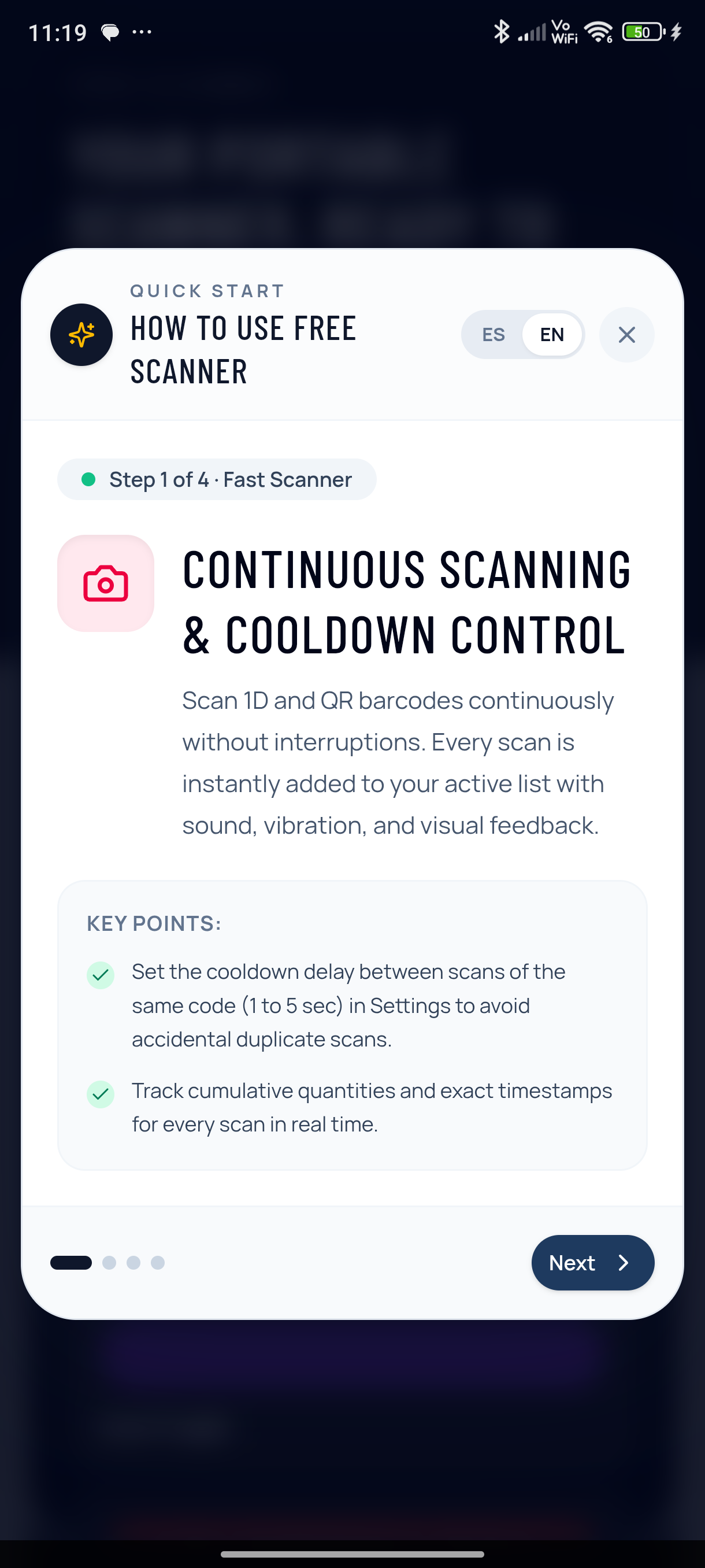
Continuous Scanning & Cooldown
Point and scan continuously without touching buttons. Set the cooldown interval (1 to 5 seconds) in Settings to avoid accidental duplicate scans of the same item.
Instant Offline Excel Catalog
Import your master product list in seconds. When scanning any barcode, instantly see the product description, price, category, and expected stock on-screen.
Direct Excel (.xlsx) Export
Generate clean spreadsheets with barcode, timestamps, accumulated quantities, and category totals. Files save directly into your phone's Documents directory.
Barcode Generator & Print Sheets
Need to label shelves, bins, or boxes? Instantly generate Code 128, EAN-13, QR, or Code 39 barcode labels formatted for printing or sharing.
Custom Themes & Haptic Feedback
Configure beep sounds and haptic vibration for immediate confirmation in noisy warehouse environments. Switch between elegant color accents.
Total Privacy · 100% Offline
Your proprietary product lists and sales data are never uploaded to any cloud. The app works flawlessly in basements, rural areas, or airplane mode.
From the shelf to your Excel sheet in 3 simple steps
Forget handwriting codes in paper notebooks or manually typing 13-digit numbers into your computer spreadsheets.
Start a fresh counting session
Name your session or let the app timestamp it. Load an optional Excel product catalog to automatically display item descriptions and pricing.
Scan continuously
Hover your camera over barcodes. The app continuously increments unit counts with instant sound and haptic confirmations.
Export your formatted Excel (.xlsx)
Tap one button to generate a clean Excel spreadsheet saved to Documents, ready to share via email, Teams, or WhatsApp.
| CÓDIGO | DESCRIPCIÓN | UNIDADES | PRECIO |
|---|---|---|---|
| 8412345678901 | Caja Embalaje Kraft Ref. 40 | 24 uds | 1.45 € |
| 8419876543210 | Cinta Precinto Adhesivo 66m | 48 uds | 0.85 € |
| 8430001112223 | Film Estirable Transparente | 12 uds | 6.20 € |
Clean, fast, distraction-free design
Every screen is optimized for one-handed operation on the move in active retail or warehouse aisles.
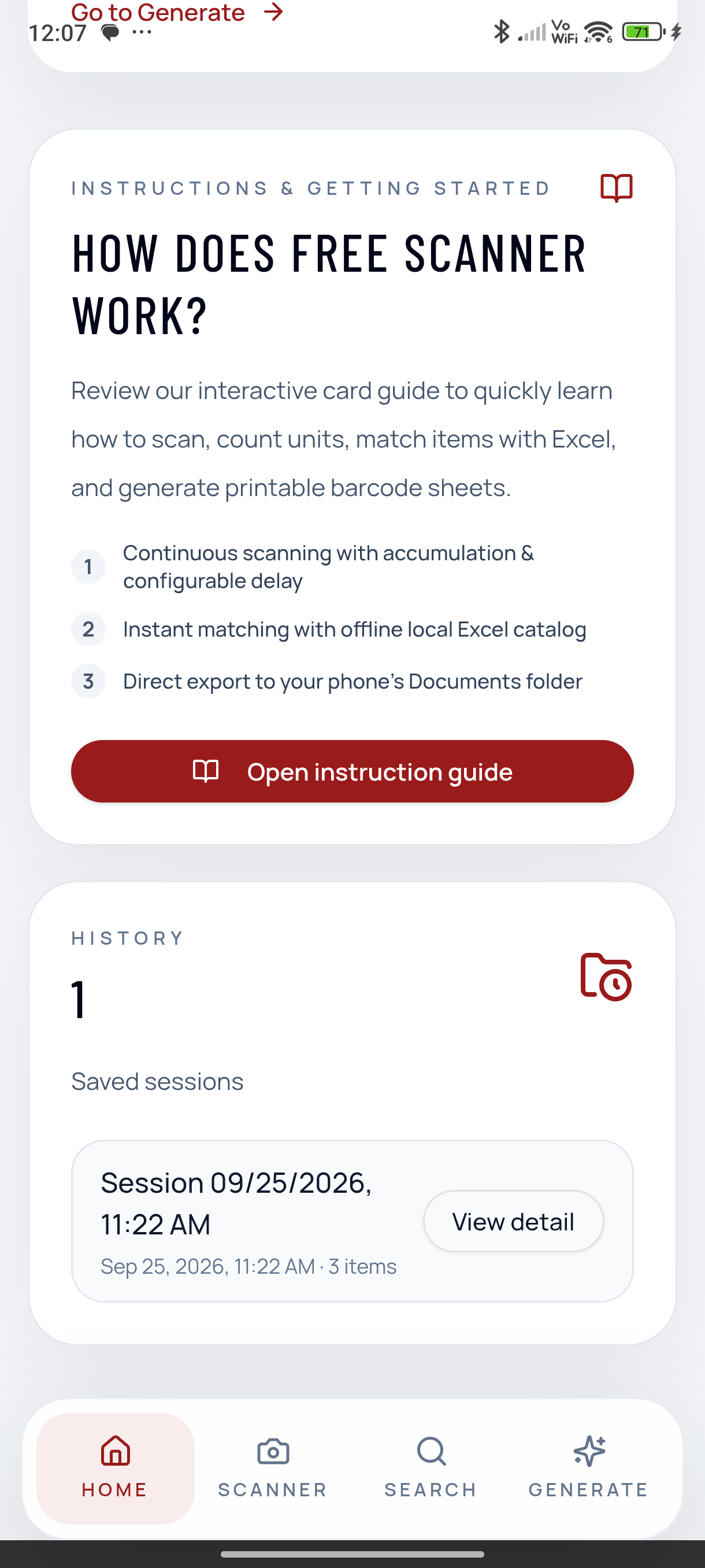
Interactive Guide & Language Switcher
Step-by-step card guide helping any team member master the app in under a minute, with instant English and Spanish toggle.
Session History & Quick Actions
Inspect past counting sessions, review scanned lines, resume existing sessions, or generate new inventory files on the fly.
Frequently Asked Questions
Everything you need to know before getting started
Does the app work without internet or Wi-Fi?
Yes, 100%. Free Scanner handles camera processing, barcode decoding, inventory counting, and Excel export entirely on your local device without sending any data to the cloud.
How do I prevent scanning the same barcode twice by mistake?
In the Settings menu, you can configure the 'Cooldown delay between scans' (from 1 to 5 seconds). The scanner will safely ignore duplicate scans of the same item within that window.
Where are the exported Excel files saved?
They are saved directly into your phone's Documents or Downloads folder. You can open them immediately in Excel, Sheets, or share them via messaging apps.
What barcode formats are supported?
It supports all major retail and industrial standards: EAN-13, EAN-8, UPC-A, UPC-E, Code 128, Code 39, Codabar, ITF, and QR codes.
Ready to speed up your inventory counts?
Download Free Scanner on Google Play and turn your smartphone into the fastest counting tool in your warehouse.